Notex for Mac
Write it down.
Put it to work.
Meeting notes, with the conversation included.

Keep your own notes. Capture the conversation. Find the detail when you need it. All in a familiar notes app for your Mac.
macOS 26 or later · Apple Silicon and Intel · Signed and notarized
Product illustrations with example notes, transcripts and AI answers.
A little more from every meeting
From first thought
to follow-up.
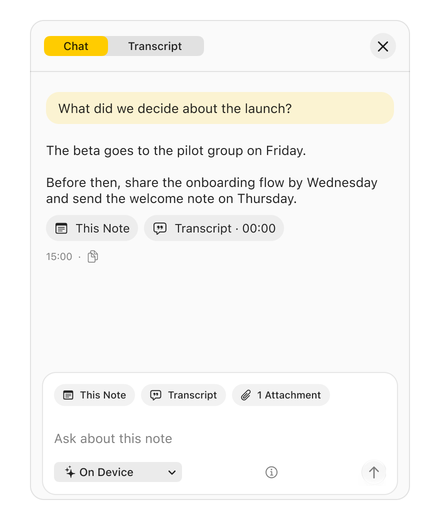
Your thoughts, the conversation, and what comes next. Together in one note.
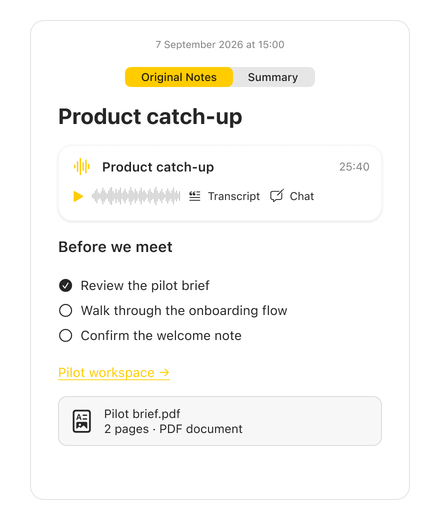
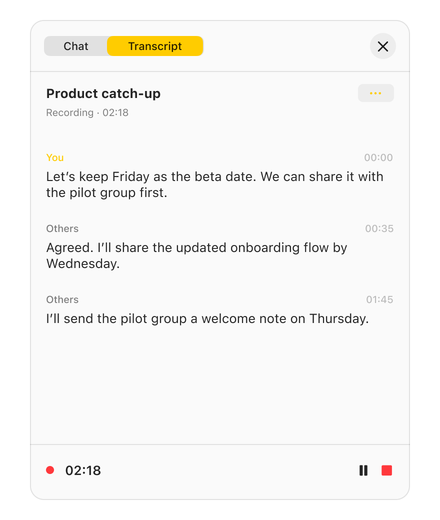
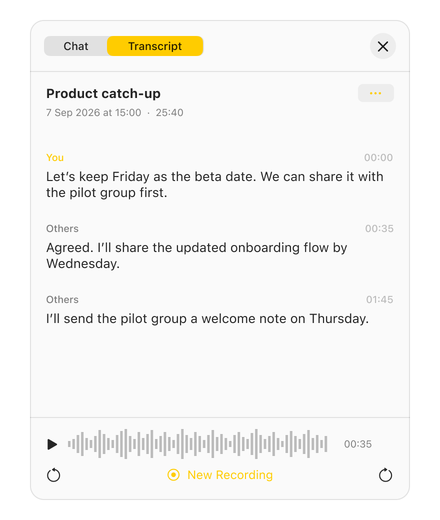
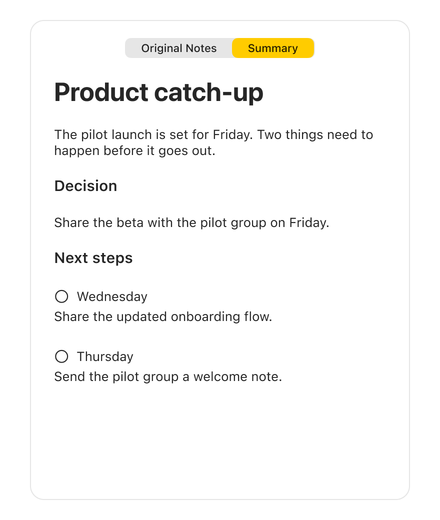
Your everyday notes
Write as you always do.
An idea before the call. A few thoughts during it. A checklist for what comes next. Get straight to your notes with familiar formatting and Mac shortcuts.
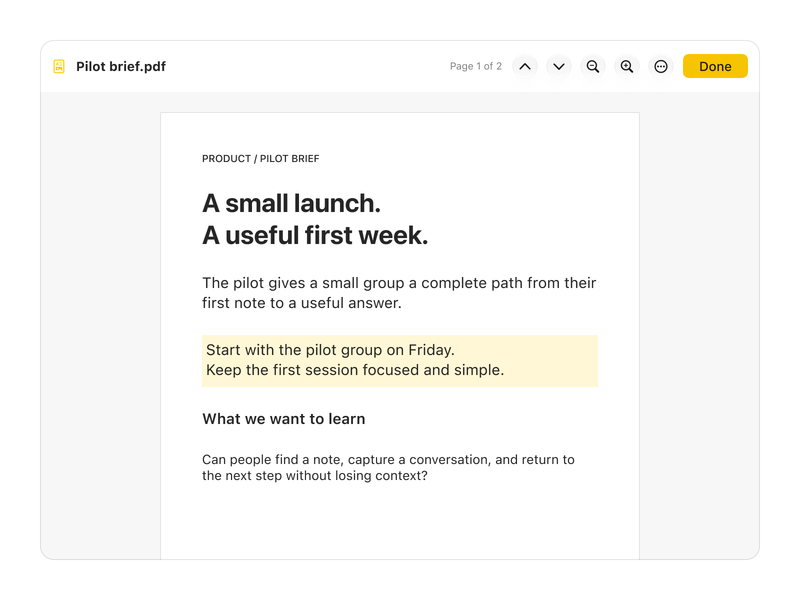
Keep the brief close.
Add documents and links beside your notes. Open the PDF reader and highlight passages you want to return to.
Find your way back.
Organize with folders and tags, search your notes, and pin the ones you return to most.
Beyond the note
Good notes.
Ready to go.
Share the recap as a PDF. Keep an editable text copy in Markdown. Your notes and summaries are ready for the next part of your work.
Export a PDF of your note or summary. Markdown exports can include attached files, finalized transcripts, and retained recording audio in a resource folder.
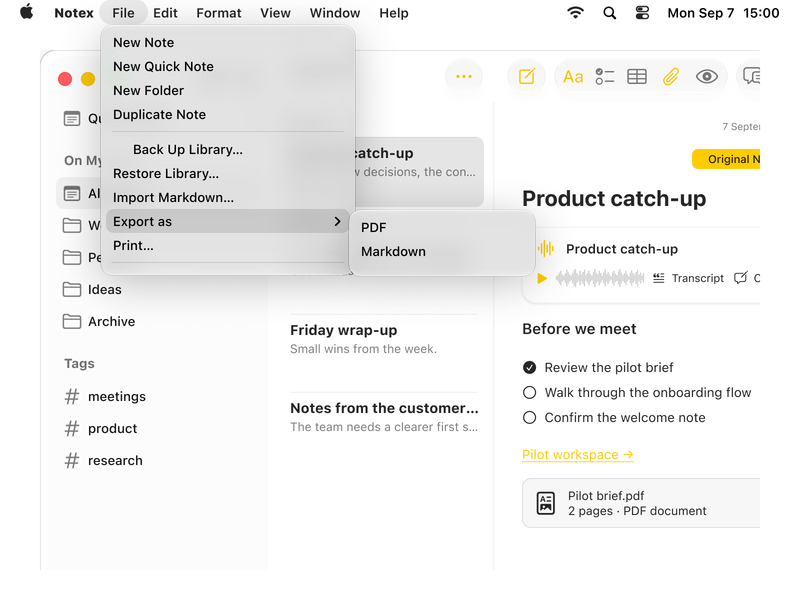
Keep it organized. Export as PDF or Markdown.
At home on your Mac
Your notes live
on your Mac.
Notex keeps your notes and transcripts together on your Mac. When you choose On Device in Chat, Apple Intelligence generates the answers. Your questions and the notes used to answer them stay on your Mac.
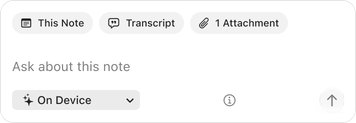
Powered by Apple Intelligence.
On your Mac.
Requires a compatible Mac with Apple Intelligence turned on and available in your language.
A few things
to know.
How do I install Notex?
Download Notex, open the disk image, and drag the app into Applications. Open Notex from there. The app is signed with a Developer ID and notarized by Apple.
How do updates work?
Notex checks when it opens and once a day. An Update available button appears in the app when a new version is ready. Open it to review the update and choose when to install. You can also choose Notex → Check for Updates… or turn automatic checks off in Settings → Updates. Checks connect to GitHub; your notes are not sent.
Which Macs can use Notex?
Notex requires macOS 26 or later. AI features also need a compatible Mac with Apple Intelligence turned on and ready to use in your language.
Does a bot join my meetings?
No. Notex records your voice and the sound from your Mac. You start each recording and allow access when your Mac asks.
Can I keep writing while it records?
Yes. Write your own notes while Notex captures the conversation. Your transcript and summary stay separate from what you write.
Can I ask questions across all my notes?
Chat works with the note you have open, its transcript, and text Notex can read in attached files.
Can I bring in existing notes?
You can import Markdown and plain-text files. Notex stores its notes separately from Apple Notes.
Does Notex sync through iCloud?
Notex currently stores notes on your Mac. iCloud sync is planned for a later release.
Can I take my notes with me?
Save your note or summary as a PDF, export Markdown, or copy the transcript. Markdown exports can include attached files, finalized transcripts, and retained recording audio in a resource folder.
Can I use my notes in Claude or ChatGPT?
A direct connection is planned. For now, save your note as a PDF or Markdown file, or copy the transcript, to use it in another app.

Bring more to your next meeting.
Your thoughts, the conversation, and what comes next. Keep them together in Notex.
Download for MacmacOS 26 or later · Apple Silicon and Intel · Signed and notarized
Requires macOS 26 or later. AI features require a compatible Mac with Apple Intelligence turned on.
Or install with Homebrew.
Run this command in Terminal.
brew install --cask juanmaramos/tap/notexNew to Homebrew? Get Homebrew